Mia is a built-in assistant that answers plain-language questions about your resilience estate. She reads the portal's own live and historic data to compose an answer, so you get real figures - never invented ones - without hunting through dashboards.
Where to find it. Open Mia from the Ask Mia button in the top header of the portal. The panel lives at /app/main/mia on your My2Cloud portal.
What Mia is
Think of Mia as a knowledgeable colleague who already has every dashboard, report and log open in front of her. You ask a question the way you would ask a person, and Mia looks across the data the portal already holds about your services, then writes back a clear answer. Because every figure comes from your own live and historic data, Mia never makes numbers up - if she cannot find the answer she tells you so.
Mia looks across every service engine you have switched on - Asigra (Asigra), Zerto (Zerto), CloudAlly (CloudAlly), Veeam (Veeam) and HYCU - as well as your support tickets and billing. She only ever sees what you are allowed to see: your answers respect your permissions and your service filter, exactly like the rest of the portal.
How to use it
- Click Ask Mia in the header to open the panel.
- Type your question in plain English in the ask bar at the foot of the panel.
- Press Enter. Mia streams her answer as she composes it, so you see it build up rather than waiting for a wall of text.
You do not need to phrase things in any special way. Questions like these all work well:
- "How much Asigra storage am I using this month?"
- "Which virtual machines missed their recovery target?"
- "Is anything failing right now?"
Rich, easy-to-read answers
Instead of a paragraph of raw text, Mia lays her answer out the way a good report would. Depending on your question you might see:
- A short narrative line summing up the situation in one sentence.
- KPI tiles for the headline figures.
- Charts and ranked tables that put the biggest items first.
- Baseline and month-on-month comparisons so you can see which way a number is moving.
- Alert lists when something needs attention.
- Source citations showing where each answer came from.
Figures are shown in sensible human units - GiB and TiB rather than long strings of bytes - and the whole panel is themed to match the portal in both light and dark mode.
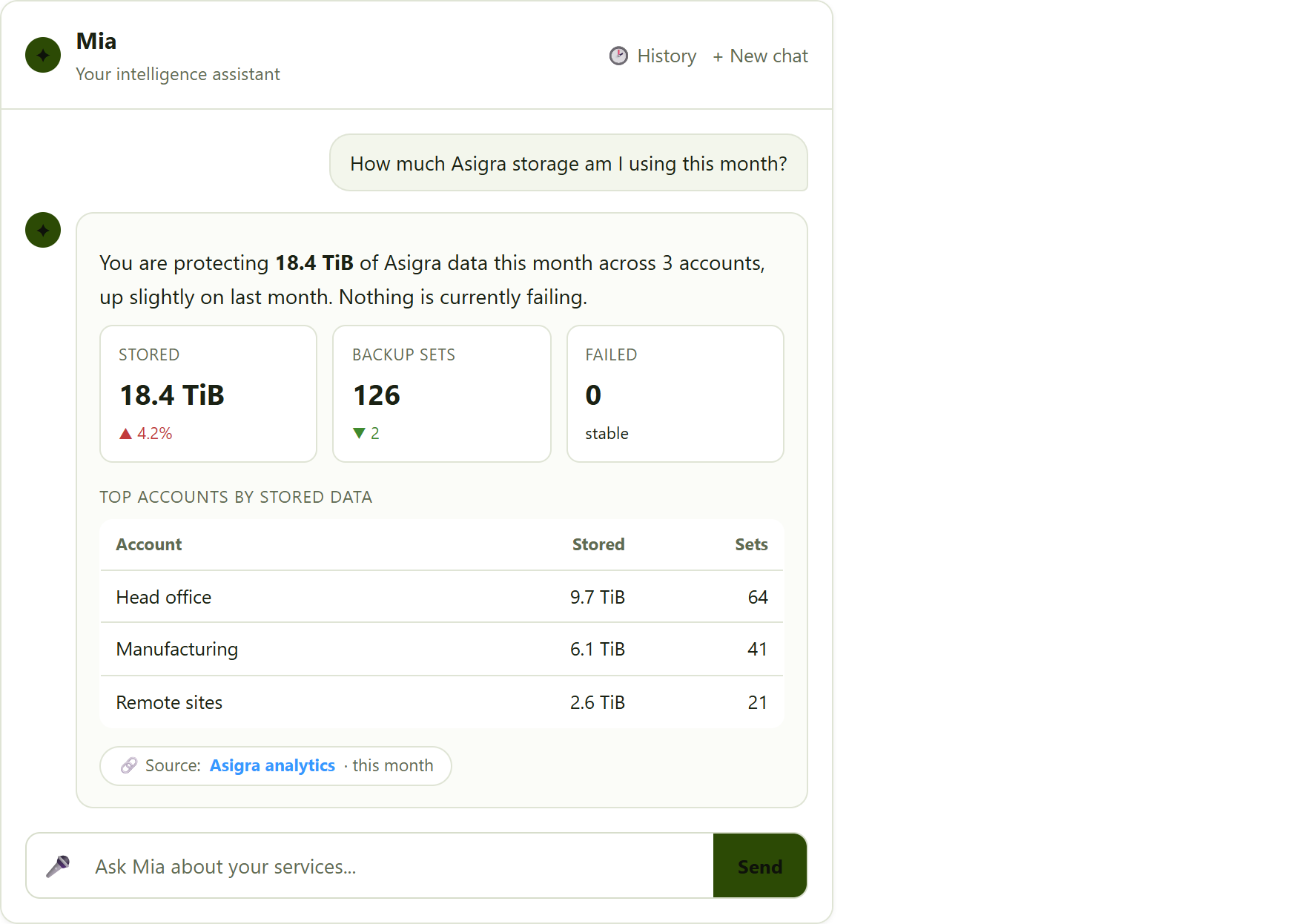
the Mia panel. A question typed in the ask bar, answered with a short narrative line, a row of KPI tiles, a small ranked table and a source citation chip.
Grounded, practical advice
Mia does more than report numbers. When she spots a problem - a failing job, a missed recovery target, a service alert - she looks it up in the relevant vendor knowledge base and tells you how to put it right. She also shows you where that advice came from, so you can read the full guide if you want to.
Because the advice is grounded in the published vendor documentation, you get a practical next step rather than guesswork. The source chip on each answer links back to where the guidance was found.
Keeping track of your conversations
Your past chats are kept in a history drawer, so you can reopen an earlier question and carry on where you left off. When you want a clean slate, the New chat button starts a fresh conversation.
You do not always have to open the panel first, either. An Ask Mia action also appears next to alerts and on log and task views, so you can ask about something the moment you notice it - Mia opens with that item already in mind.
Voice (optional)
If your administrator has enabled it, you can dictate your question instead of typing, and have Mia's answers read back to you. Voice is off by default; it is switched on for your account by your administrator, so if you do not see a microphone in the ask bar, voice has not been enabled for you.
Two tiers of Mia
Mia comes in two levels, and which one your account has can vary:
Everyday assistant
The everyday assistant answers operational questions about your estate - storage, jobs, failures, recovery targets, alerts, tickets and billing - exactly as described above.
Advanced tier
The advanced tier adds two extra features:
- Reports. Board, operations and partner reports that you can generate on demand, export to
PDF, or have emailed to you every month. - Daily brief. An opt-in summary of what changed across your services, so you start the day knowing what moved.
Which tier do I have? The tier available to your account can vary. If you do not see the reports feature, your account is on the basic tier. Ask your administrator if you would like the advanced features enabled.
Good questions to try
- "How much storage am I using across all my services this month?"
- "Which virtual machines missed their recovery target last week?"
- "Is anything failing right now, and what should I do about it?"
- "Show me my backup success rate compared with last month."
- "Which accounts grew the most in the last three months?"
- "Do I have any open support tickets?"
- "What did my last invoice cover?"
There is no wrong way to ask. If Mia needs more detail she will tell you, and if she cannot answer from your data she will say so rather than guess.
Was this article helpful?
That’s Great!
Thank you for your feedback
Sorry! We couldn't be helpful
Thank you for your feedback
Feedback sent
We appreciate your effort and will try to fix the article